Most small business owners do not need a giant tech stack.
They need a website that explains what they do, pages that load fast, forms that actually work, and a few simple systems that keep customers from slipping through the cracks.
That is where design, coding, and automation come together.
A good website brings people in. Clean code makes the site faster, easier to maintain, and easier to connect with other tools. Automation handles the repetitive stuff: follow-up emails, lead notifications, appointment reminders, invoice steps, customer intake forms, and basic reporting. If you want the focused version, read how automation saves small businesses time every week.
You do not need to turn your business into a software company. You just need the right digital pieces working together.
Why small businesses lose customers online
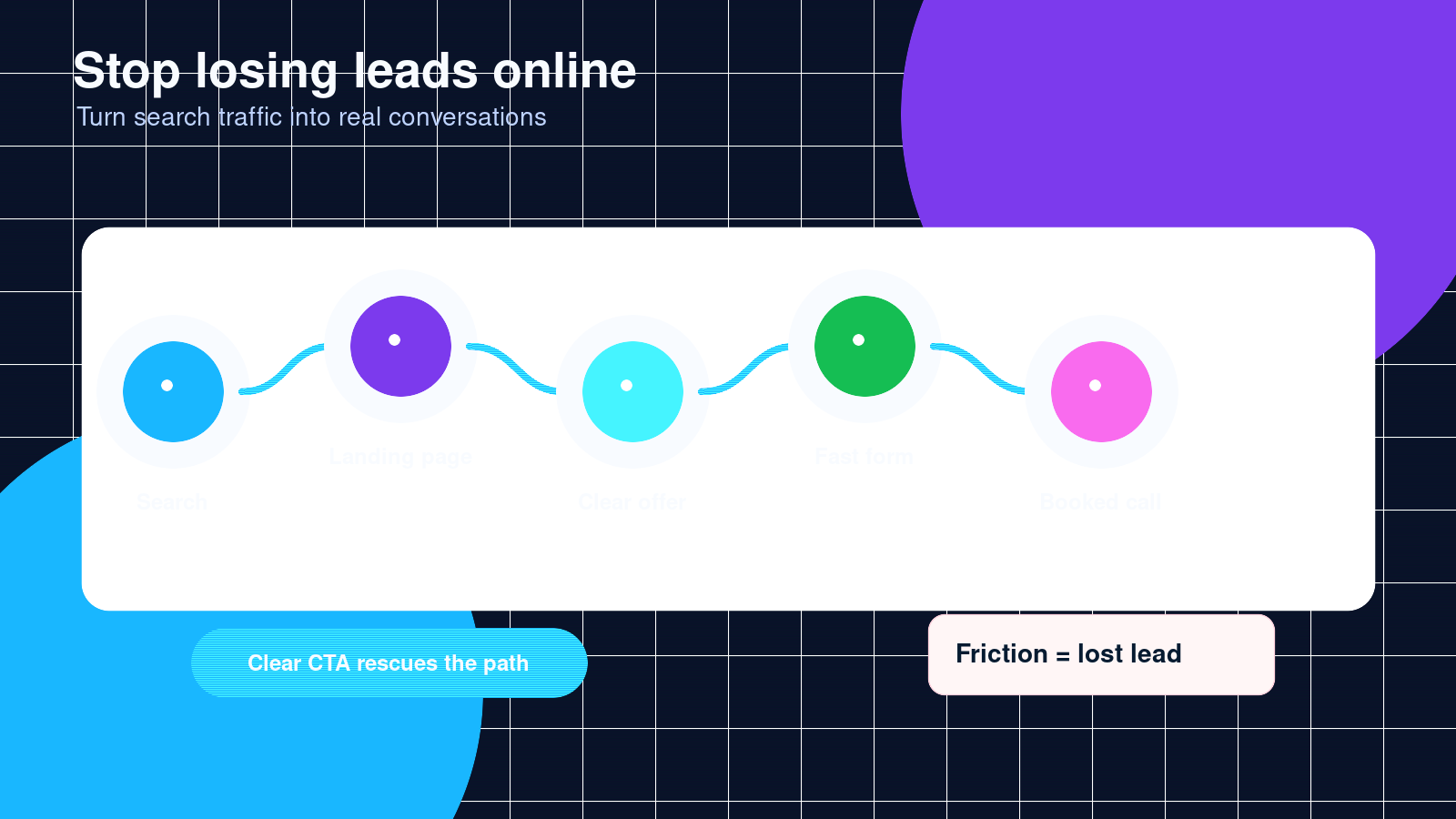
A lot of small businesses do good work offline but lose trust online.
Common problems look small at first:
- The website looks outdated on mobile.
- The contact form sends leads to the wrong inbox.
- Customers cannot tell what services are offered.
- The business has no clear call to action.
- Pages load slowly.
- Booking takes too many steps.
- The owner has to manually copy information between apps.
- Follow-ups depend on memory instead of a system.
None of these problems feels dramatic by itself. Together, they cost money.
A customer may not call and say, “Your website made me leave.” They just leave. They go back to Google, click the next business, and you never hear about it.
Start with the website
Your website is usually the first serious impression a customer gets. Social media helps, but your website is where people check if you are real, professional, and worth contacting.
A small business website should answer five questions quickly:
- What do you do?
- Who do you help?
- Where do you serve?
- Why should someone trust you?
- What should they do next?
If visitors have to hunt for those answers, the site is working against you.
Good design is not just about looking expensive
Design should make the business easier to understand.
That means clear headings, readable text, strong images, simple navigation, and buttons that guide people toward action. A beautiful website that confuses customers is not doing its job.
For most small businesses, the best design is clean, direct, and built around the customer journey.
A restaurant needs menus, hours, location, online ordering, and photos that make the food look good.
A contractor needs services, service areas, before and after photos, reviews, and a fast quote request form.
A consultant needs a clear offer, credibility, case studies, and a booking path.
Different businesses need different pages, but the goal is the same: reduce confusion and make the next step obvious.
Why custom coding still matters
Website builders are useful. WordPress, Shopify, Wix, Squarespace, and similar tools can get a business online fast.
But templates have limits.
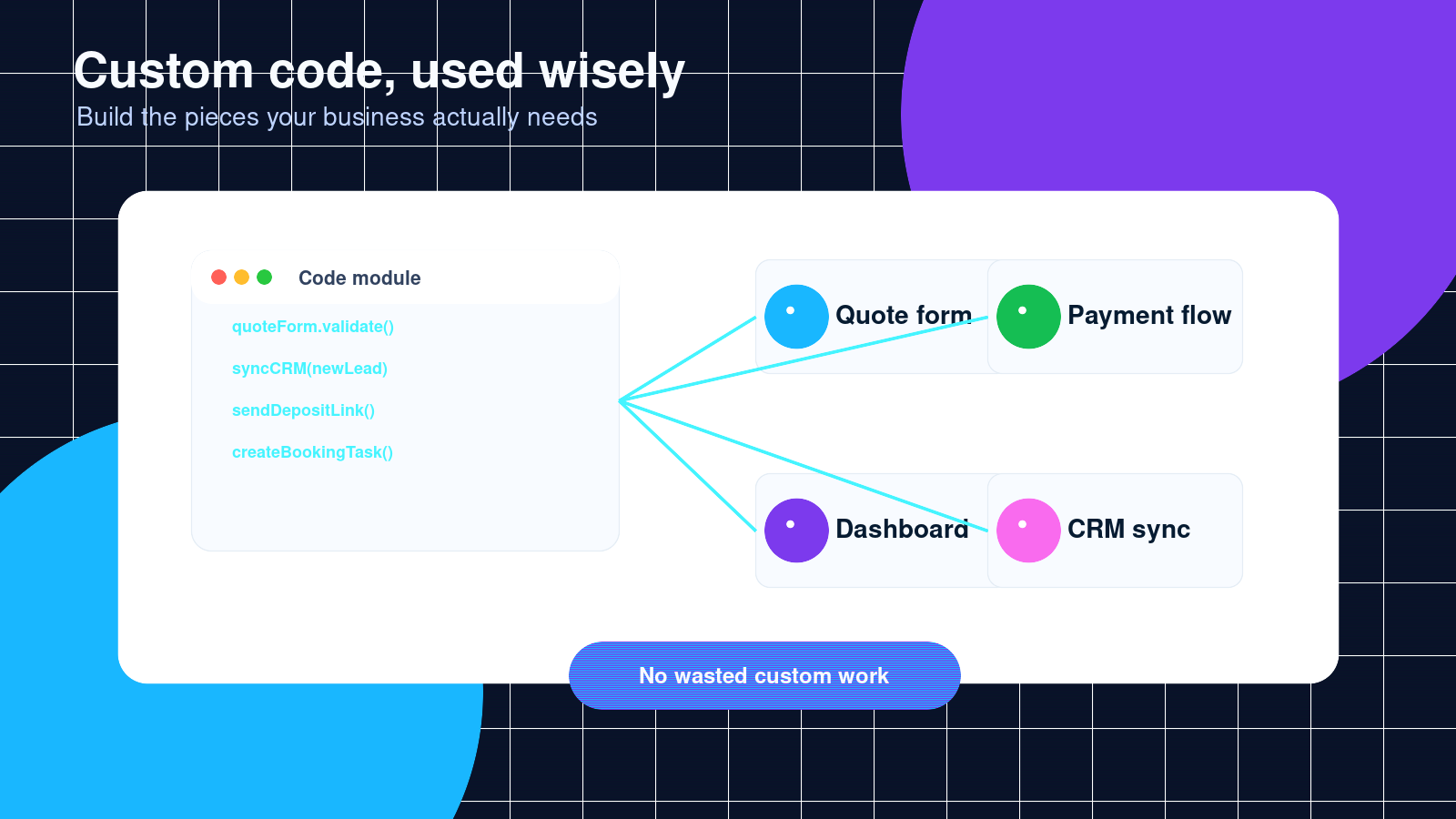
Custom coding helps when your business needs something specific, like:
- A custom quote form
- A searchable service directory
- A customer dashboard
- Booking rules that match how you actually work
- Payment or deposit flows
- Internal admin tools
- CRM connections
- Inventory or order workflows
- A faster version of a slow page
- A feature your template cannot handle cleanly
The point is not to code everything from scratch. That wastes money. The point is to use custom code where it solves a real business problem.
A good developer should not push custom work just to sound advanced. They should be able to explain what the code does, why it matters, and how it will make the business easier to run.
Automation for small business owners
Automation is just a fancy word for letting the computer handle repeatable work.
That can be simple:
- Send a thank-you email after someone fills out a form.
- Notify the owner by text when a new lead comes in.
- Add new contacts to a spreadsheet or CRM.
- Send appointment reminders.
- Create a task when a customer requests service.
- Follow up with people who requested a quote but never booked.
- Send review requests after a job is completed.
Small automations can save hours every week. More importantly, they make the business more consistent.
A tired owner forgets. A busy team misses things. A good automation does the same step every time.
Automation should not make your business feel robotic
Bad automation feels cold. Customers can tell when every message sounds fake.
Good automation feels like the business is organized.
The best setup usually combines automation with a human touch. Let the system collect the information, send reminders, and keep records updated. Let the owner or team handle the parts that need judgment, care, or a real conversation.
The best small business tech setup is usually simple
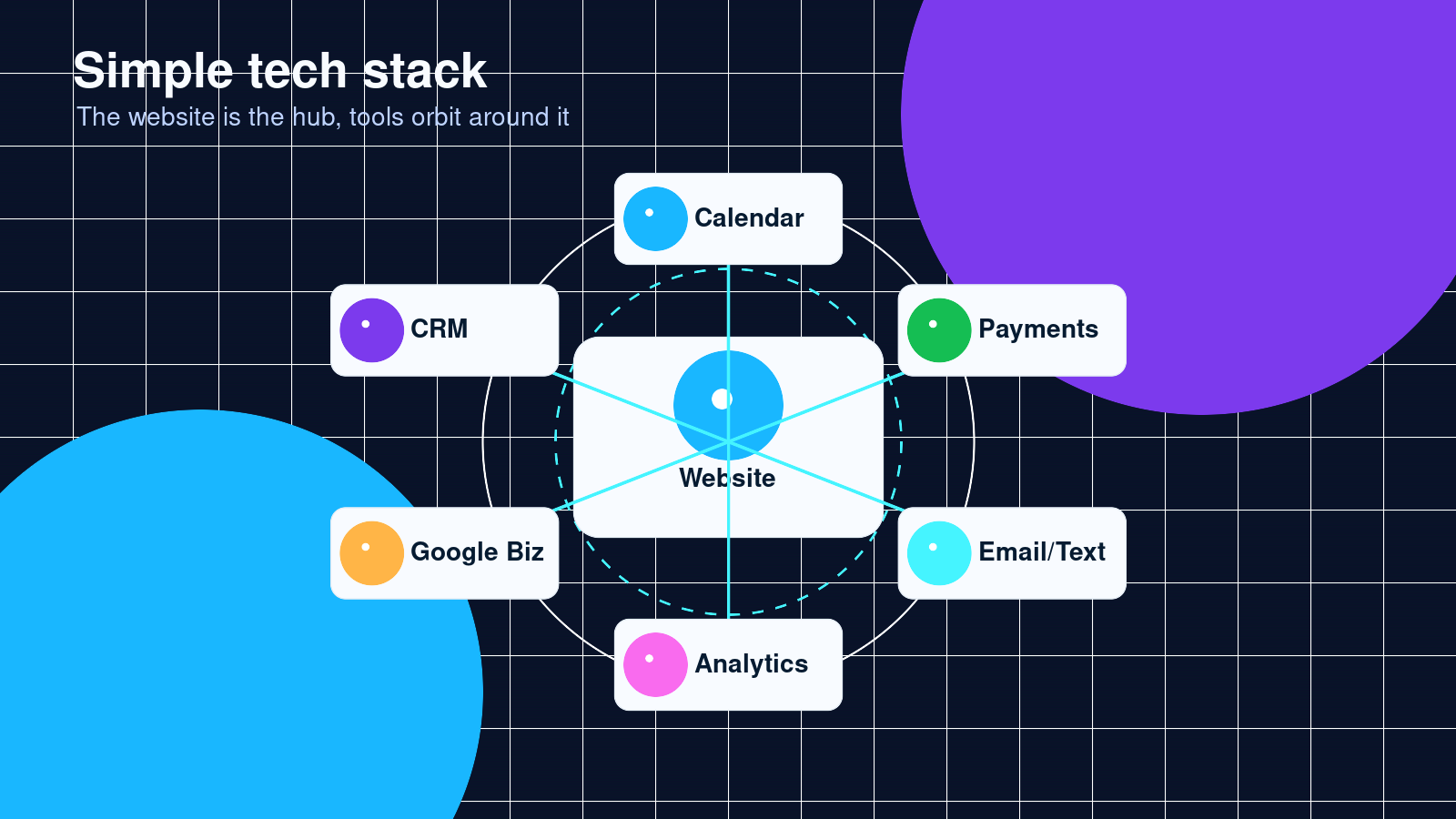
A lot of businesses do not need more apps. They need fewer loose ends.
A practical setup might include:
- A mobile friendly website
- Google Business Profile
- A contact form that routes leads properly
- A booking calendar
- A payment processor
- A CRM or organized spreadsheet
- Email and text notifications
- Basic analytics
- A follow-up system
The exact tools depend on the business. A barber shop, cleaning company, online store, and local nonprofit should not all use the same setup.
Before adding software, ask:
- What problem are we solving?
- Who will use this every week?
- Does it connect with the tools we already use?
- Will this save time or create more work?
- Can we maintain it without calling a developer every day?
If a tool does not pass those questions, it may not belong in your business yet.
SEO basics for small businesses
Search engine optimization can get complicated, but the basics are not mysterious.
Small business SEO starts with being clear.
Your website should have pages for the services people search for. If you offer web design, coding help, automation setup, logo design, booking systems, or website maintenance, each important service should have its own clear page.
Your pages should include:
- The service name
- The city or area you serve, if local search matters
- A plain explanation of the service
- Who the service is for
- Common problems you solve
- Examples of work or use cases
- Frequently asked questions
- A clear contact button
Google is trying to understand what your page is about and whether it helps the searcher. Make that easy.
Local SEO matters if you serve a local area
If your business serves a city or region, your website should say that clearly.
You should also keep your Google Business Profile updated with the correct name, address or service area, phone number, website, hours, services, photos, and reviews.
Reviews matter. Not just for rankings, but for trust. A customer comparing three businesses will usually look at reviews before they call.
A simple review request automation can help here. After a job is done, the customer gets a friendly message asking them to leave a review. No pressure. Just a clean process.
Signs your website needs help
You may not need a full redesign. Sometimes a few focused fixes are enough.
Your website probably needs attention if:
- It is hard to use on a phone.
- You are getting traffic but few calls or messages.
- Customers ask questions the website should already answer.
- You cannot update content easily.
- The site loads slowly.
- Forms break or send messages to the wrong place.
- Your services have changed but the site has not.
- You do not know where leads are coming from.
- Your competitors look more professional online.
A website should not just sit there. It should help the business sell, explain, book, collect, and follow up.
What to fix first
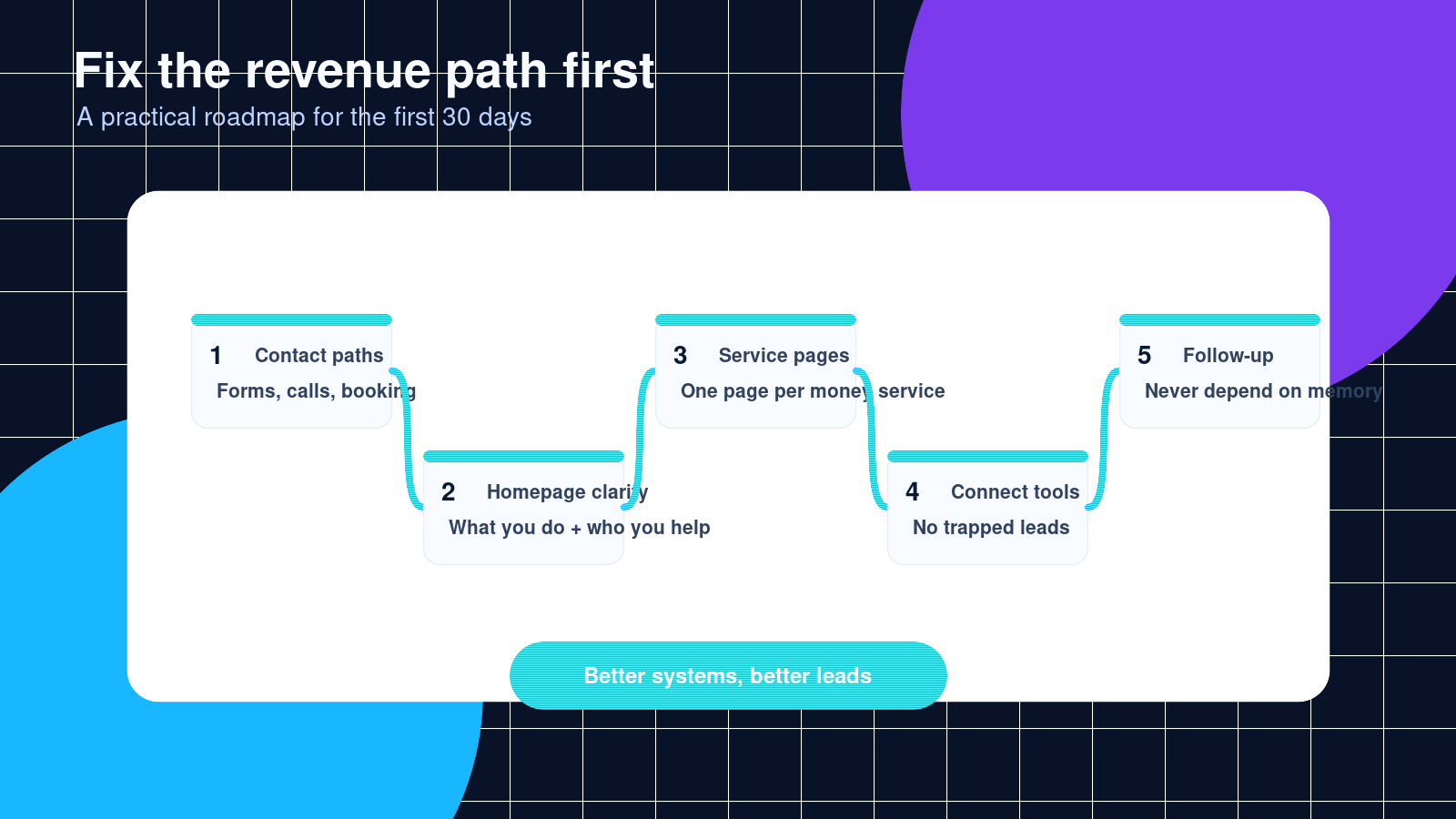
If everything feels messy, start with the work that affects customers and revenue.
First, make sure people can contact you. Check the phone number, forms, email routing, booking links, and buttons.
Second, clean up the homepage. A visitor should know what you do within a few seconds.
Third, improve the service pages. Each main service needs enough detail for a customer to understand it and enough structure for search engines to index it properly.
Fourth, connect the tools. Leads should not be trapped in inboxes, forms, or random text messages.
Fifth, add simple follow-ups. Most businesses leave money on the table because they do not follow up consistently.
A practical example
Imagine a small cleaning company.
Before improving its systems, the owner gets leads from phone calls, Facebook messages, website forms, and referrals. Some leads get written in a notebook. Some stay in text messages. Some get forgotten.
The website has a contact form, but it only says “Contact us.” Customers do not know what information to send, so the owner has to ask the same questions over and over.
A better setup could include:
- A service page for residential cleaning
- A service page for move-out cleaning
- A quote form that asks for home size, location, preferred date, and service type
- Automatic lead notifications by email or text
- A spreadsheet or CRM that stores every request
- A follow-up message if the customer does not book
- A review request after the job is complete
That is not a huge software project. It is a cleaner system.
The owner spends less time chasing details and more time closing jobs.
How Celestia Digital helps
Celestia Digital helps small businesses build better websites, fix broken digital systems, and automate repetitive work.
That can mean a full website redesign, a custom coded feature, an automation between apps, or a simple cleanup of what is already there.
The goal is practical: make the business easier to find, easier to trust, and easier to run.
If your website looks outdated, your leads are scattered, or your team is doing the same manual tasks every week, the right digital setup can help.
Frequently asked questions
Do I need a new website or can I fix the one I have?
It depends on the condition of the site. If the design is still usable and the platform is solid, targeted fixes may be enough. If the site is slow, hard to edit, confusing, or built on a broken setup, a rebuild may save money over time.
What is the difference between web design and web development?
Web design focuses on layout, branding, user experience, and how the site feels to visitors. Web development focuses on the code, features, integrations, speed, and technical structure. A strong business website usually needs both.
What kind of automations help small businesses the most?
Lead notifications, appointment reminders, quote follow-ups, customer intake forms, review requests, payment reminders, and CRM updates are usually good places to start. The best automation removes repetitive work without making the customer experience feel fake.
Can automation work with tools I already use?
Usually, yes. Many businesses can connect existing tools like WordPress, Google Sheets, Gmail, Google Calendar, Stripe, Square, Shopify, Mailchimp, HubSpot, or Zapier-style workflows. The right setup depends on what you already use and where the bottleneck is.
How much does a small business website cost?
The price depends on the size of the site, the amount of design work, the platform, and any custom features. A simple brochure site costs less than a website with booking, payments, customer accounts, or custom automations. The better question is what the site needs to do for the business.
How long does a website redesign take?
A small site can often be redesigned in a few weeks if the content, photos, and decisions are ready. Larger sites or custom features take longer. Delays usually come from missing content, unclear goals, or changes in direction.
Is SEO included in web design?
Basic SEO should be part of any serious web design project. That includes page structure, headings, titles, meta descriptions, mobile performance, internal links, and clear service content. Ongoing SEO, content strategy, and link building are separate work.
Why should I hire help instead of using a template?
Templates are fine when your needs are simple and you have time to set everything up. Hiring help makes sense when you need strategy, better design, custom features, technical cleanup, SEO structure, or automation between tools. A professional can also prevent mistakes that are expensive to fix later.
Closing call to action
Your website and systems should make business easier, not heavier.
If customers are confused, leads are getting missed, or your team is doing too much by hand, Celestia Digital can help you clean it up.
Start with a simple conversation. Tell us what is not working, what you want the business to do better, and which tasks keep eating your time.
Then we can map out the smartest next move.
Suggested CTA button text:
- Get a website and automation audit
- Talk to Celestia Digital
- Fix my business systems
- Start a small business project
